Certain QMS
Tools for comprehensive quality management
Explore the features of Certain QMS and see how the system supports quality, HSE and compliance management.

Main features
The core of Certain QMS
Bring processes, documents, deviations, risk and other key parts of your quality and HSE work together in one system.
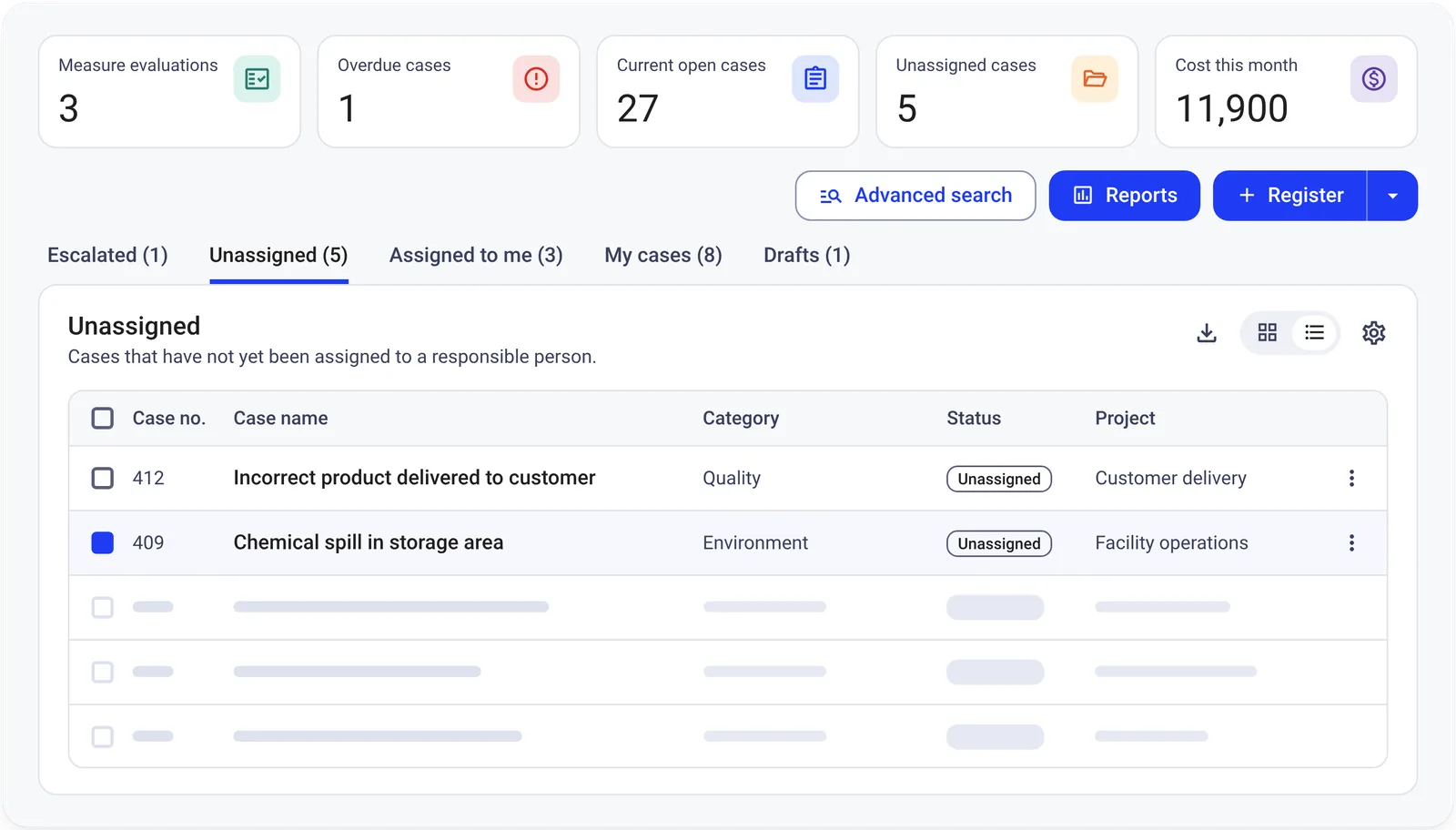
Deviations
Register, manage and follow up deviations and improvement actions.
Deviation and improvement management
Register, manage and follow up deviations, improvement suggestions and other quality cases through one integrated workflow.
Key features
- Customisable forms for registering and categorising different types of cases.
- Case management with support for root cause analysis, corrective and preventive actions (CAPA), delegation and follow-up.
- Escalate cases to risk assessment when required.
- Link cases to relevant processes for better context and traceability.
Benefits
Provides structure throughout the process, from when a case is registered until actions are completed and the case can be closed.
Dashboard
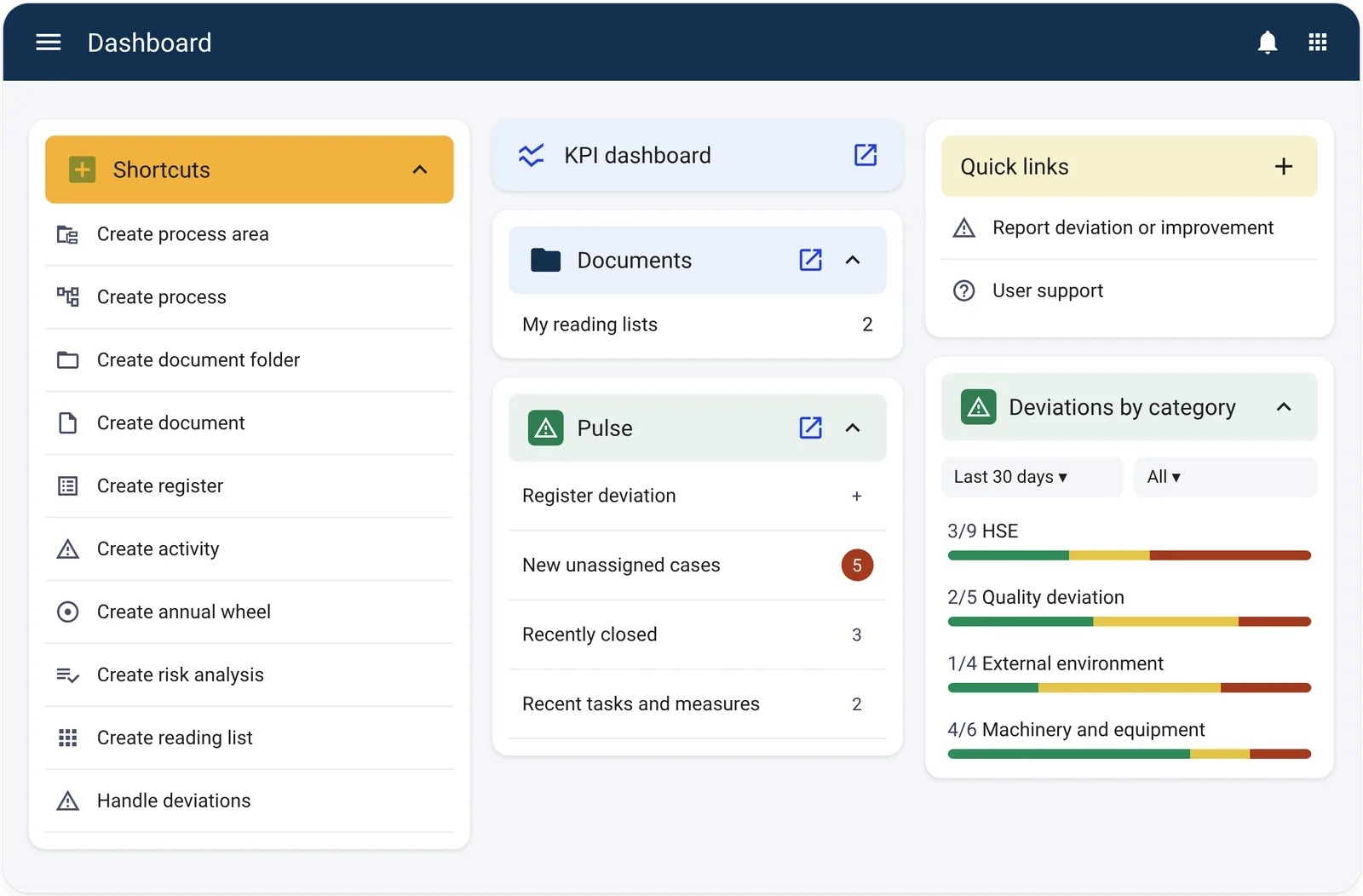
Get an overview of status and key information across the system.
Dashboard
Get a consolidated overview of tasks, deadlines and status across Certain QMS.
Key features
- Overview of upcoming audits, risk actions, unassigned deviations and documents due for review.
- Status indicators across different areas of the system.
- Display relevant information directly on the home page.
Benefits
Makes it easier to prioritise tasks and follow up activities that require attention.
Documents
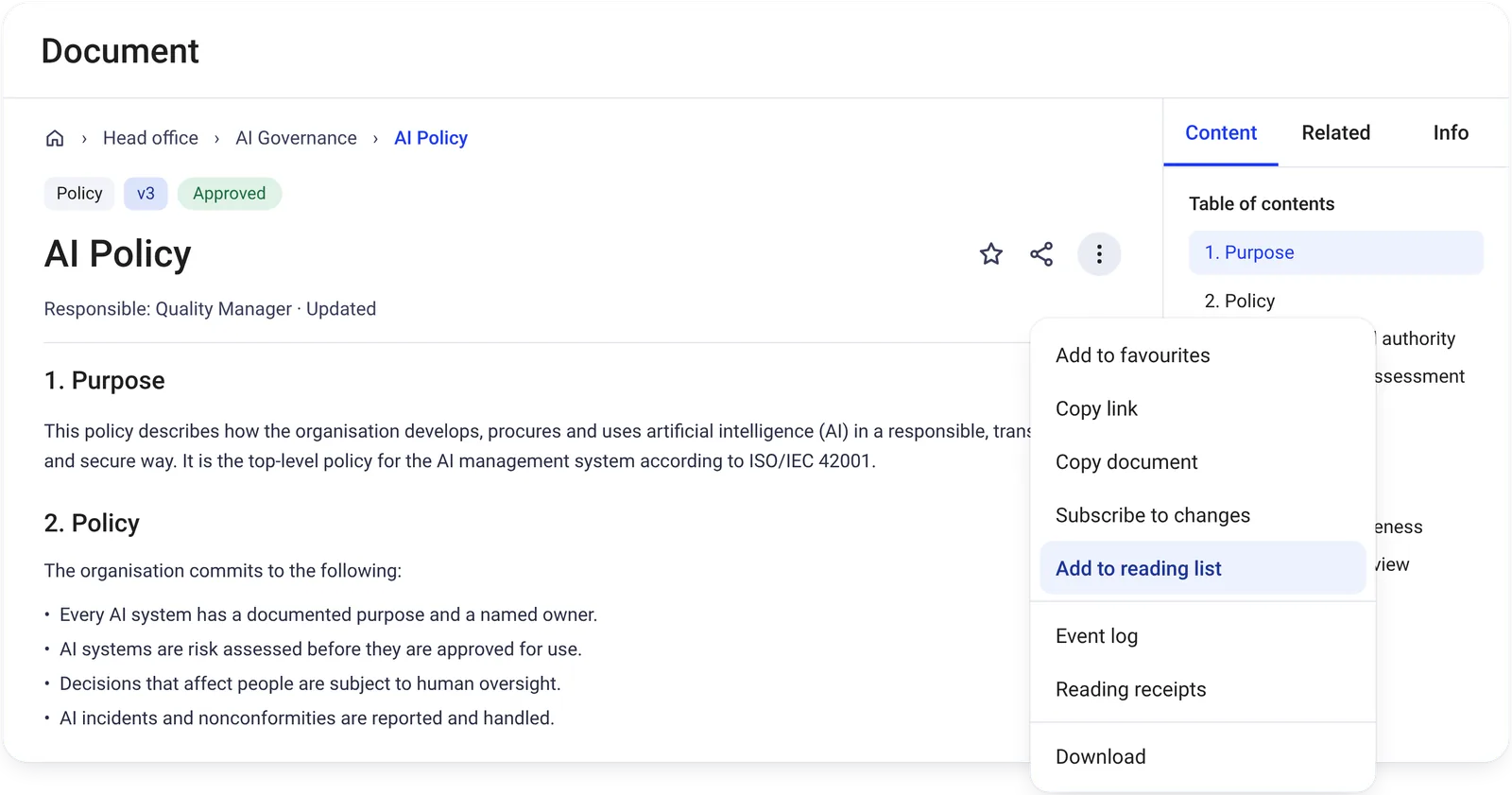
Manage documents with approvals, version control and revision history.
Document management
Create, manage and publish controlled documentation with version and approval control.
Key features
- Create and publish procedures, guidelines and other controlled documents.
- Version control and internal review before publication.
- Link documents directly to relevant processes.
Benefits
Provides control over managed documentation and makes it available where it is relevant to the work.
Planner
Plan and follow up audits, reviews and other recurring activities.
Planner and annual cycle
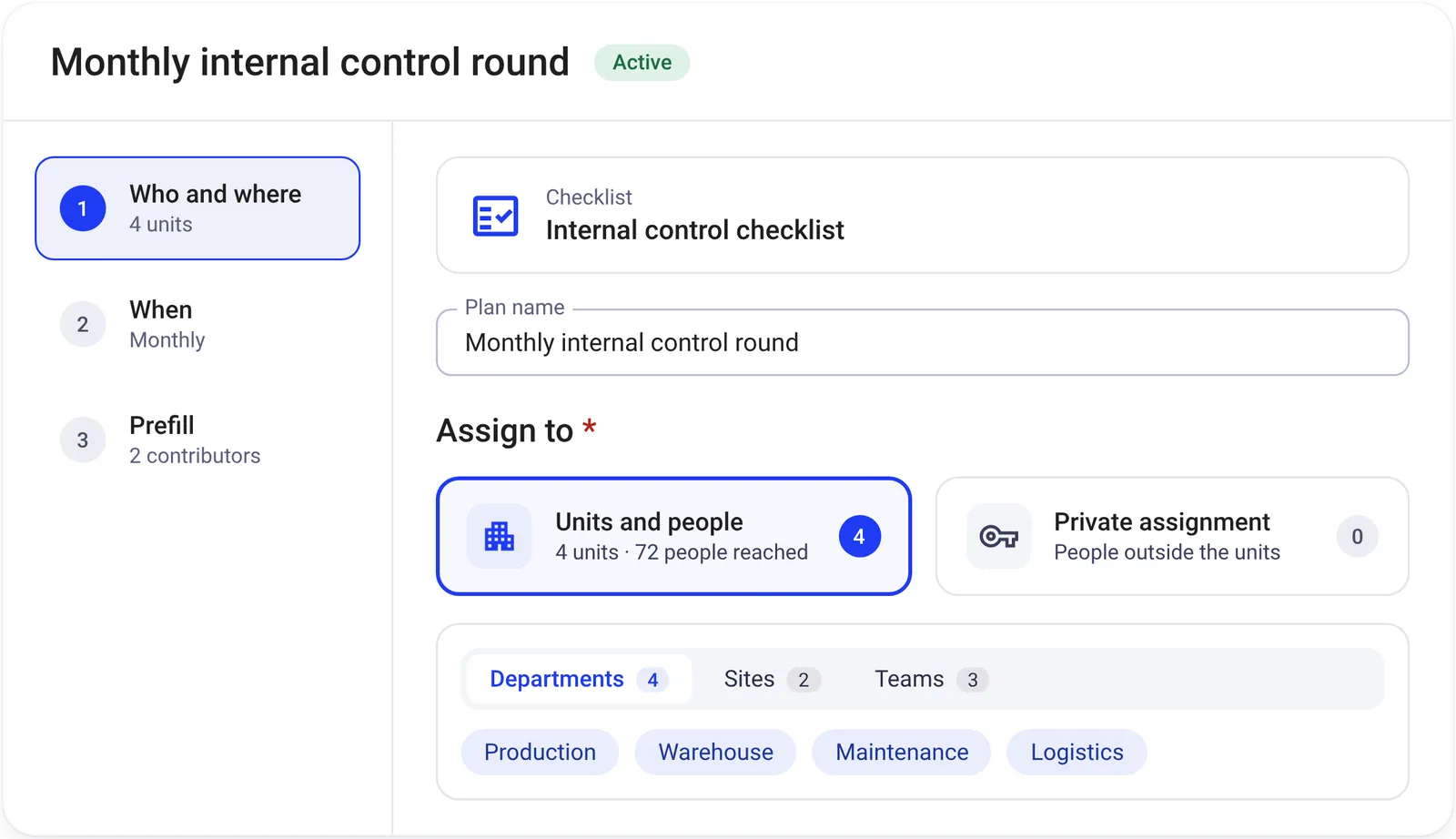
Plan, assign and follow up audits and other recurring activities across the organisation.
Key features
- Create annual, quarterly and monthly plans for the organisation, departments or projects.
- Assign tasks and responsibilities to people across the organisation.
- Reuse plans and tasks in future periods.
- Visualise activities and audits in an annual cycle.
Benefits
Provides a better overview of planned activities, clear responsibilities and documented follow-up throughout the year.
Processes
Describe and visualise processes, roles and responsibilities clearly.
Process management
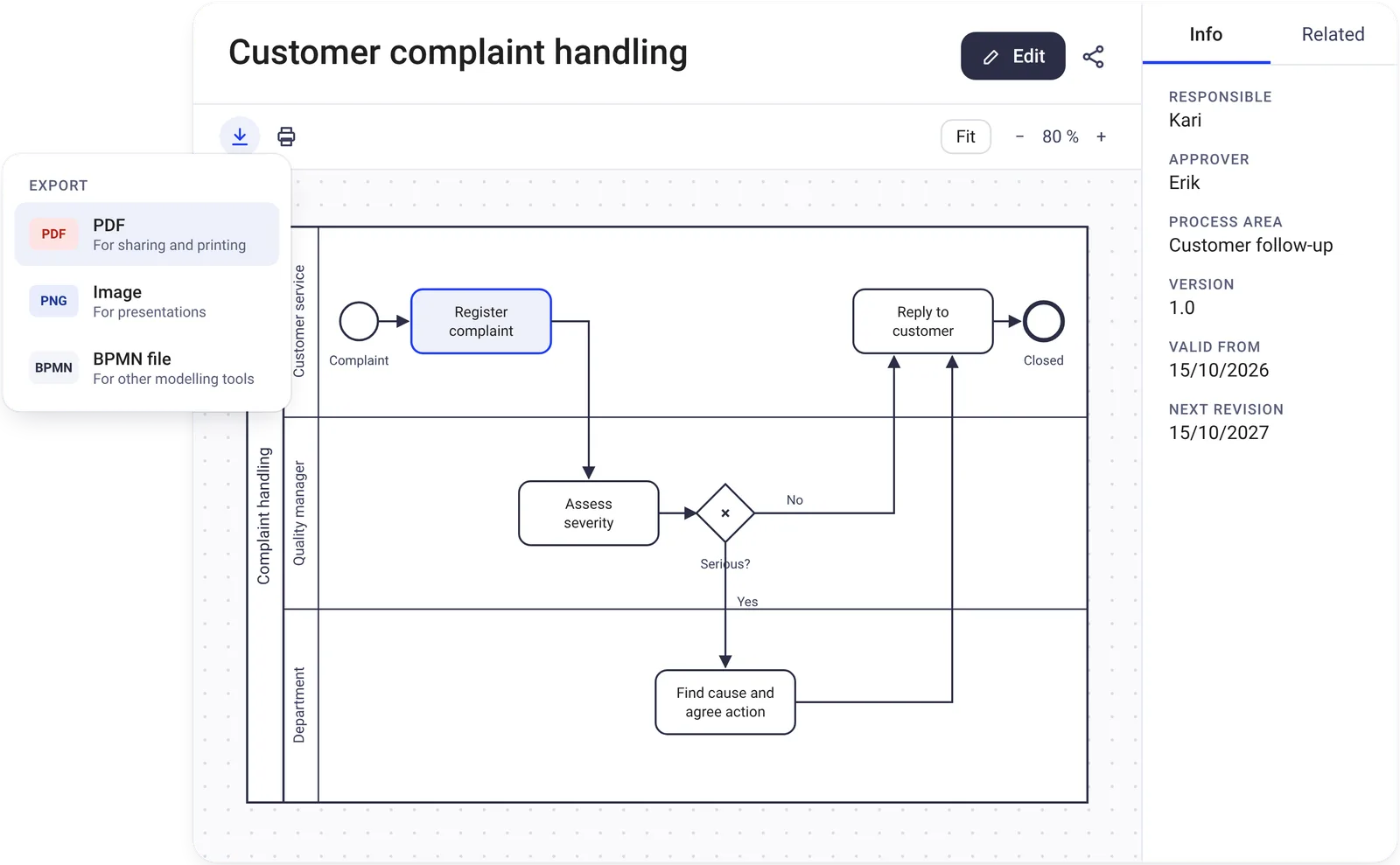
Model and visualise your organisation’s processes and bring relevant information directly into the process view.
Key features
- Model and visualise processes using dynamic process diagrams.
- Link documents, deviations, improvement suggestions, risks, analyses, checklists and external links to relevant processes.
- Access related content directly from processes and activities.
Benefits
Creates a clear connection between how work should be carried out and the information needed along the way.
Risk
Identify, assess and follow up risks and actions in one register.
Risk management
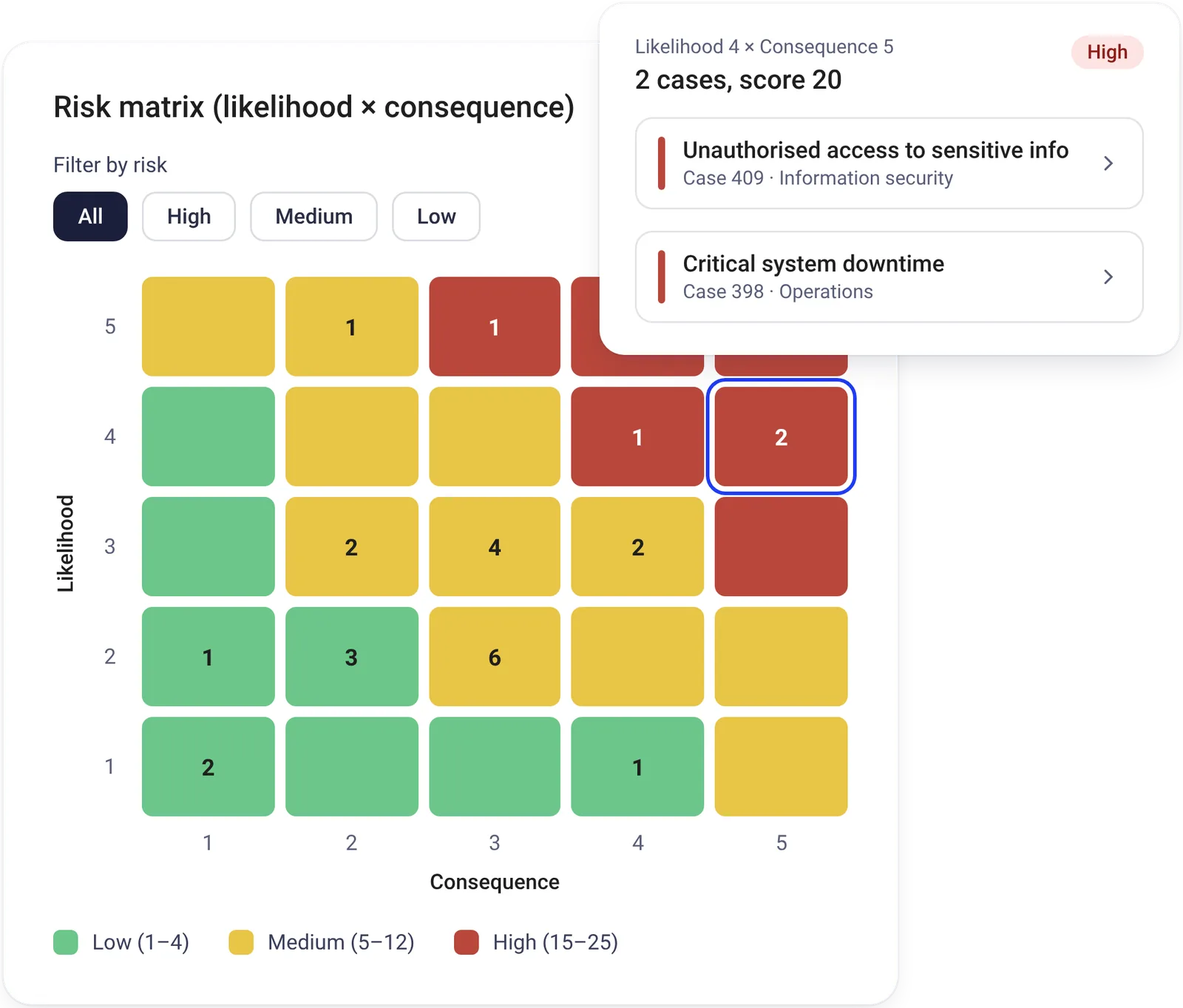
Identify, assess and follow up risks and risk-reducing actions.
Key features
- Assess risk based on likelihood and consequence.
- Link risks to relevant processes and activities.
- Create and follow up risk-reducing actions.
Benefits
Provides a structured overview of risk and makes it easier to follow up actions where risks arise.
Compliance
Keep track of relevant requirements and document how they are addressed.
Compliance
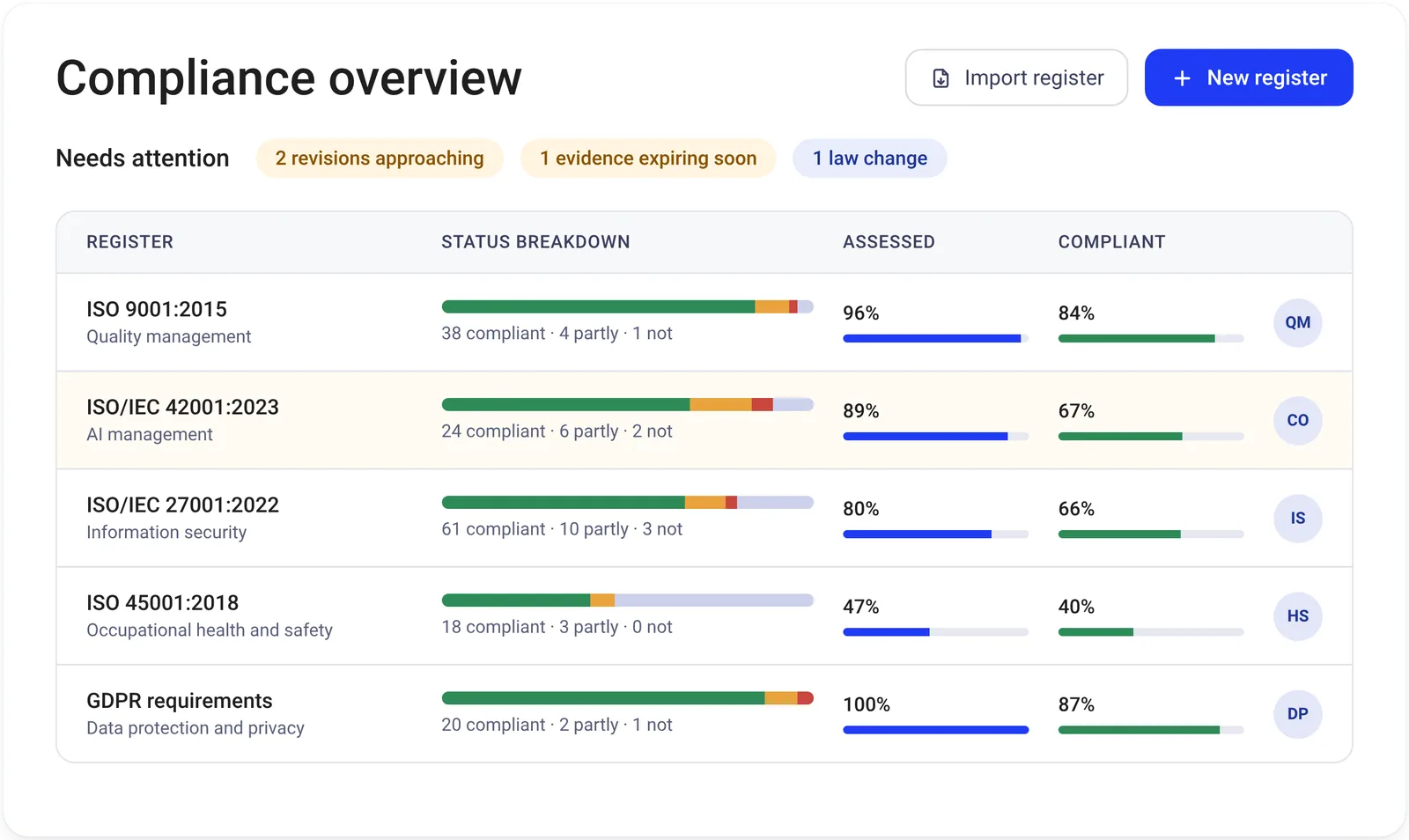
Bring together and follow up the requirements your organisation needs to comply with.
Key features
- Maintain a consolidated overview of requirements from legislation, standards and internal guidelines.
- Link requirements to relevant processes and documents.
Benefits
Makes it easier to document which requirements apply and how your organisation addresses them.
Checklists
Carry out inspections, checks and other recurring tasks using checklists.
Checklists
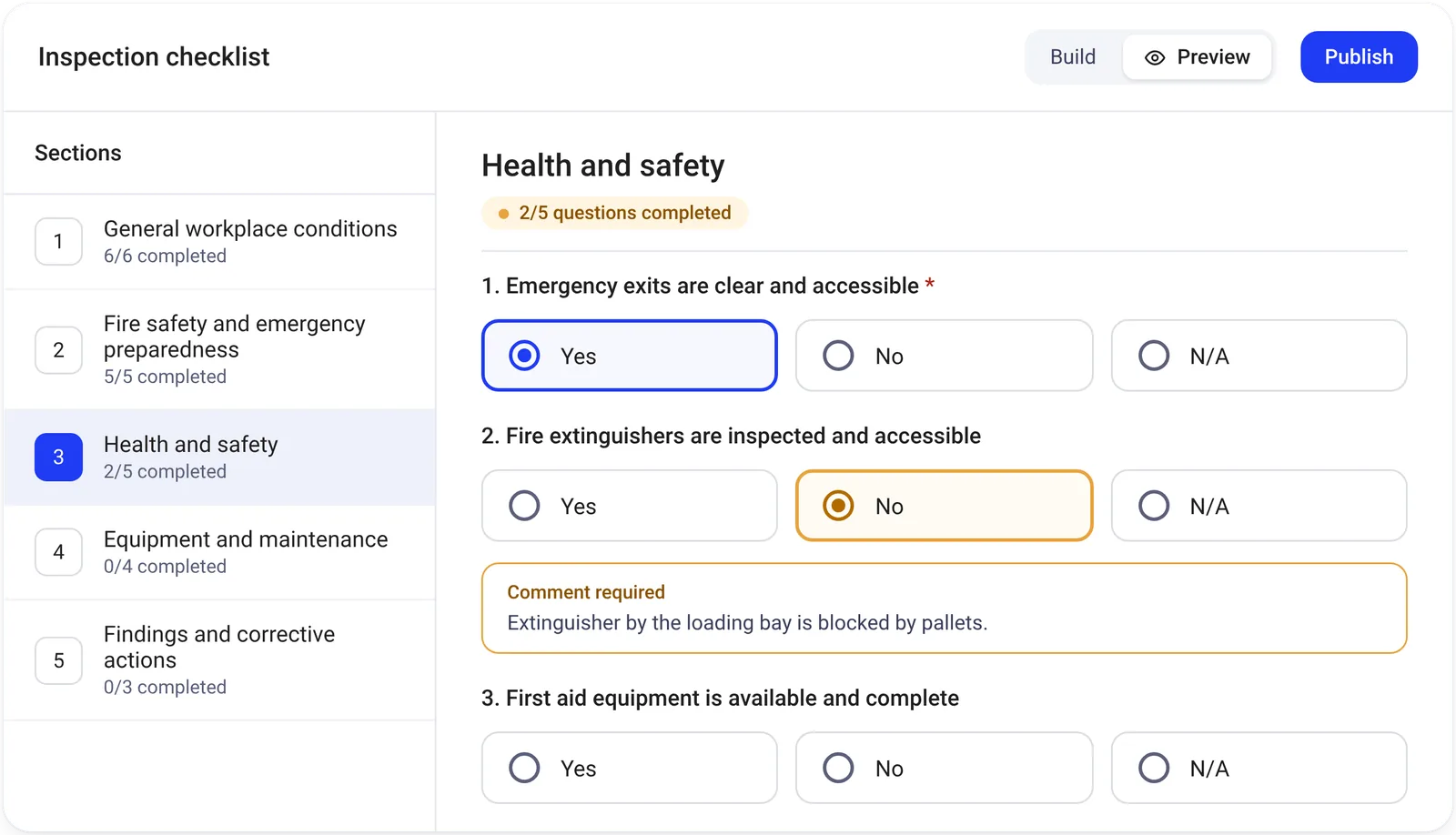
Create, complete and document checklists for audits, inspections and other recurring activities.
Key features
- Link checklists to relevant processes for better context and traceability.
- Create and reuse templates for audits, inspections and other activities.
- Complete and document checklists digitally.
Benefits
Supports more consistent execution and documented follow-up of recurring checks and activities.
Integrations
Connect the systems you use
With an open API, Certain QMS can be connected to other systems. We help you set up and tailor the integrations to your organisation’s needs and existing solutions.
Examples of integrations
Microsoft 365
Work with Certain QMS alongside familiar tools such as Word, Teams and Outlook.
SharePoint
Access Certain QMS directly from your SharePoint intranet and keep documents, projects and checklists in sync.
Power BI
Use data from Certain QMS to create reports and dashboards in Power BI.
Looking for a specific integration? Whether you use ERP, HR or project management systems or AI tools, we can help you explore the integration options and find a solution that fits your organisation’s needs.
Requirements and standards
Structure for requirements and compliance
Use Certain QMS to organise, document and follow up your work with relevant requirements and standards.
ISO 9001
Quality management
ISO 14001
Environmental management
ISO 27001
Information security
ISO 45001
Occupational health and safety
Training and support
Get started with Certain QMS
Get training tailored to different roles and your own setup, with additional training and Norwegian support available when needed.
Next step
Interested in Certain QMS?
Request a quote, book a demo to take a closer look at the system, or contact us if you have any questions.
Customer reference
See how we have helped others

Document management
Over 27,000 users and 40,000 documents in Certain QMS
Oslo University Hospital uses Certain QMS for document management. Today, the solution has more than 27,000 users and contains over 40,000 approved documents.