
Configuration
Adapt Certain QMS to the way you work
Every organisation has its own processes, requirements and ways of working. Certain QMS offers a wide range of configuration options, so you can adapt the system to your organisation without custom development.

Configuration areas
What you can configure
Select an area to see examples of the settings you can adapt.
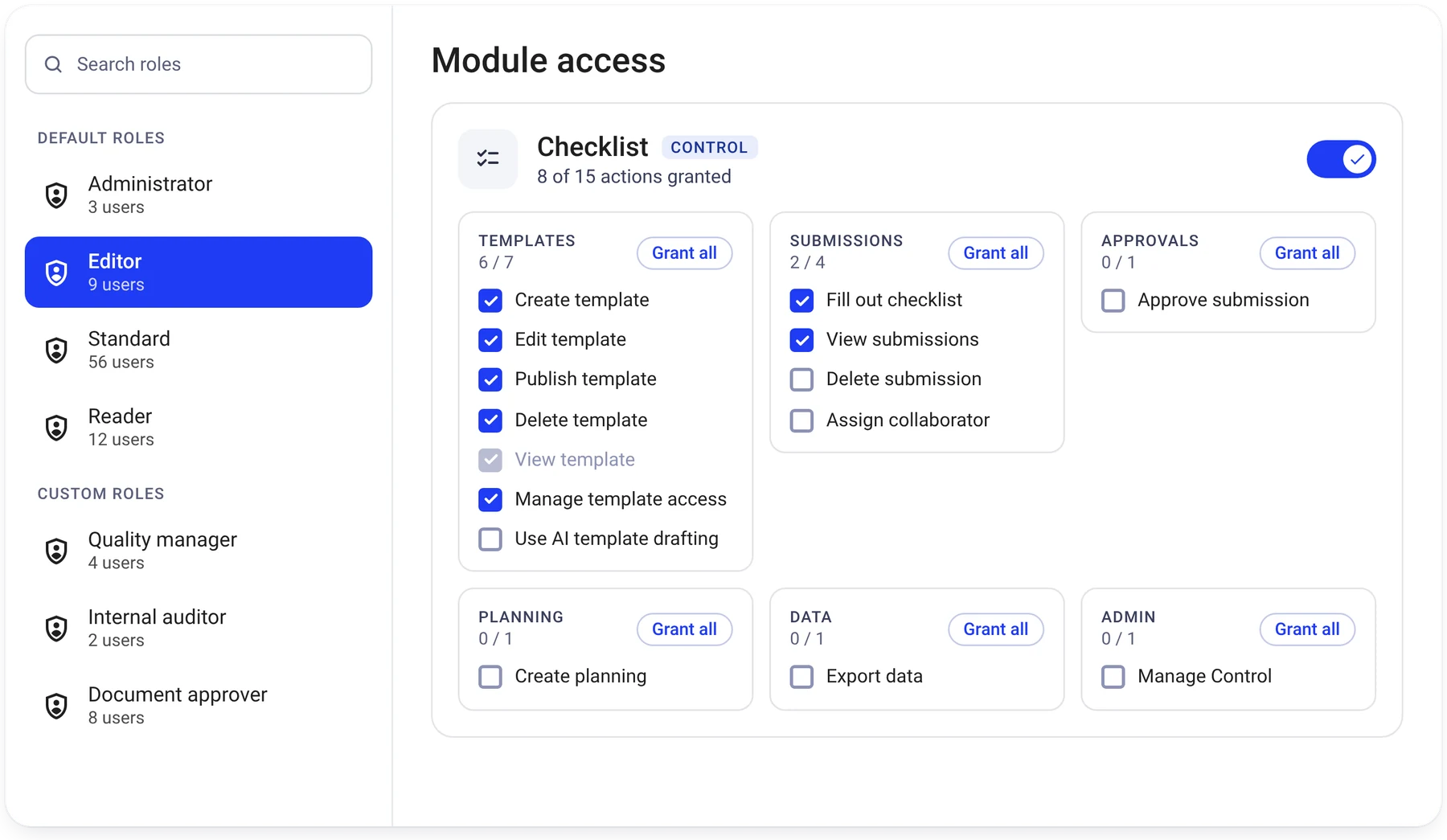
Set up workflows that fit your organisation
Adapt how deviations, checklists, documents and recurring activities are managed. Examples of what you can configure include:
Examples of what you can configure
- Deviation categories, registration forms and handling procedures
- Workflows for case management, approvals and follow-up
- Checklist templates with different fields, signatures and attachments
- Recurring inspections and activities with deadlines and reminders
- Document approval processes, version control and reading confirmations
- Notifications and reminders to support everyday tasks
Adapt the system to your requirements
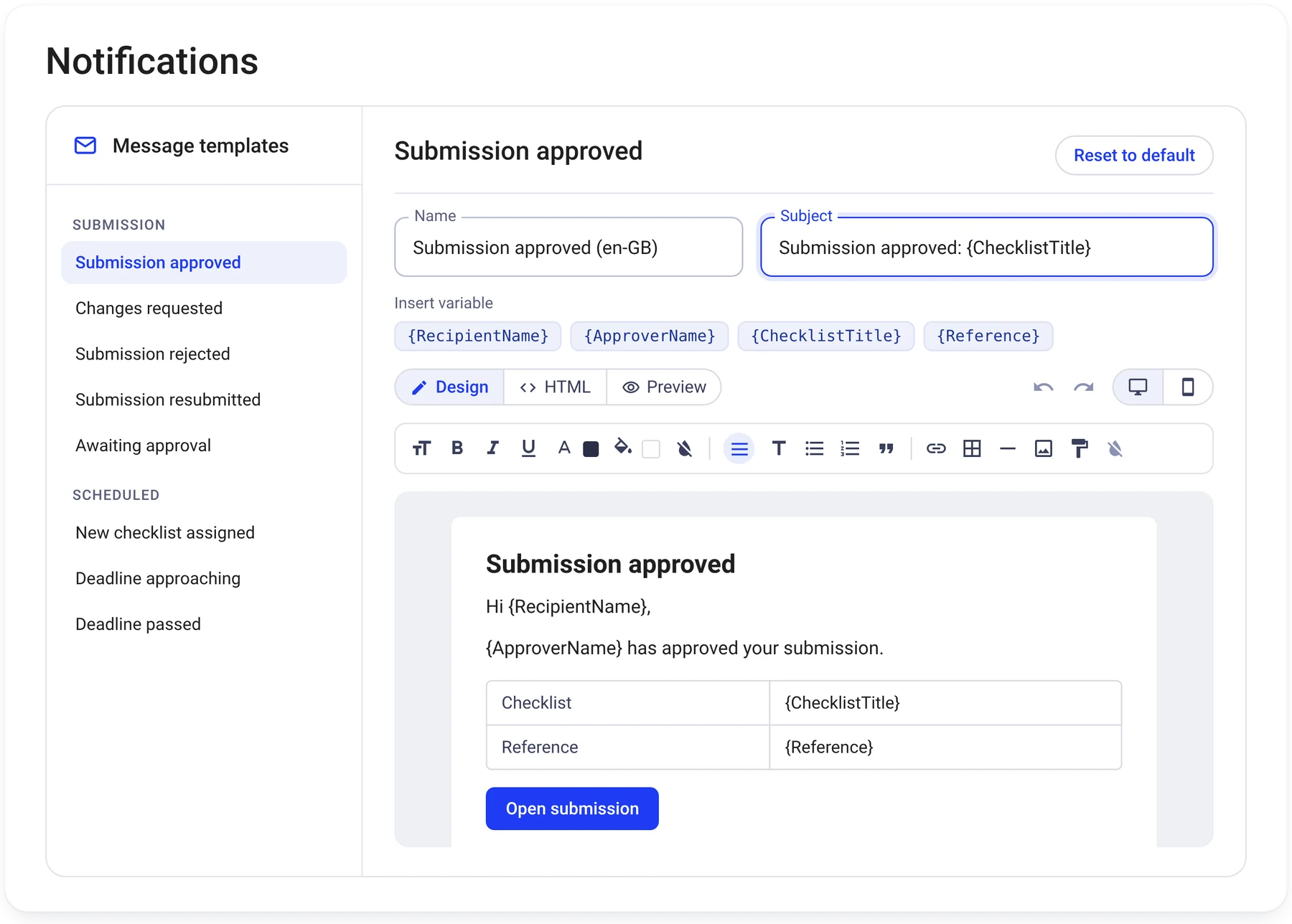
Configure the methods, structures and rules that support your organisation’s quality, HSE and risk management activities. Examples include:
Examples of what you can configure
- Risk matrices, acceptance criteria and risk areas
- Approval rules for documents, checklists and processes
- Compliance registers with requirements, responsibilities and follow-up activities
- Annual plans for recurring activities, audits and management reviews
- Corrective and preventive actions with assigned responsibilities
- Document templates, metadata and expiry dates with reminders
- Custom categories, fields and help texts
Manage roles, responsibilities and permissions
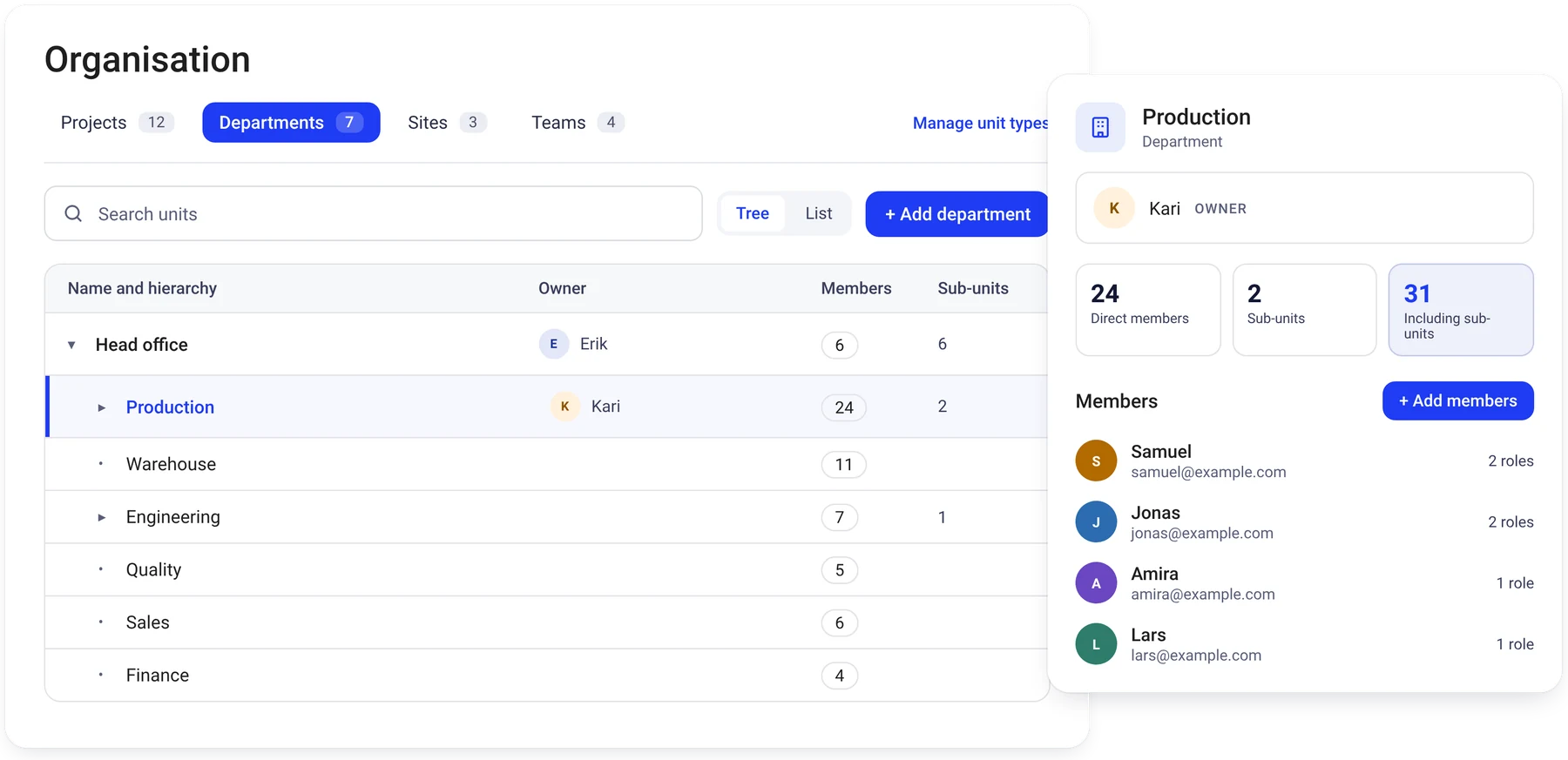
Control who can access information, manage tasks and approve activities across your organisation. Examples of available settings include:
Examples of what you can configure
- Standard and customised user roles
- Permissions based on responsibilities and organisational structure
- Access to relevant departments, projects and teams
- Access restrictions for sensitive documents and information
- User administration and permission management
- Single sign-on and automated user provisioning, configured with support from our team
Roles in the setup
Who does what
Many settings can be managed by your own administrators. Our team helps with more advanced setup and integrations.
Your administrators
- Categories
- Templates
- Forms
- Roles
- Notifications
Our team
- Initial setup
- Single sign-on
- User provisioning
- Integrations
- More complex workflows
Beyond standard configuration
Tailored solutions for specific needs
While Certain QMS offers a wide range of configuration options, some requirements call for a more tailored approach. Our team can help develop custom functionality, workflows and integrations to meet your organisation’s specific needs.